



























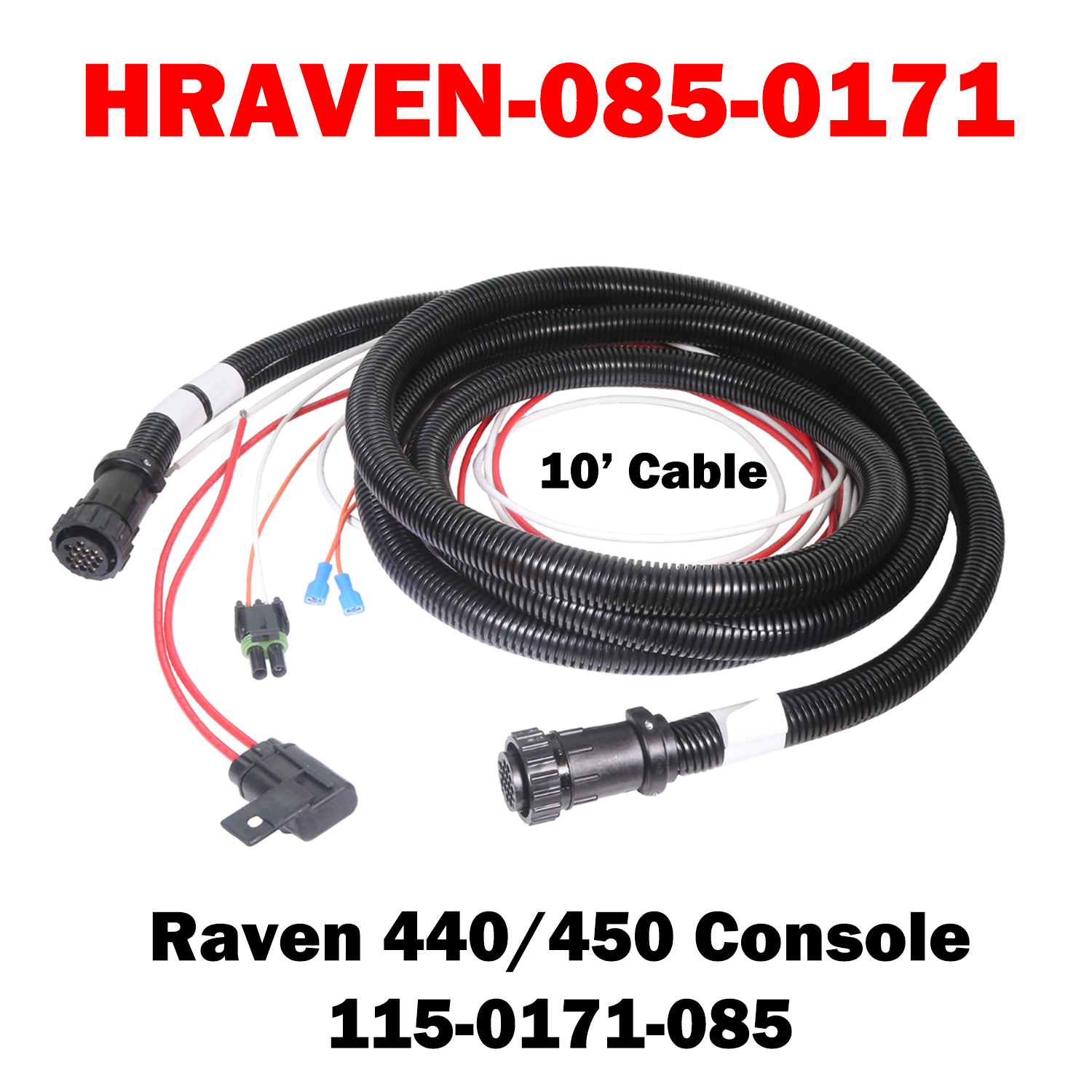

HRAVEN-085-0171 (115-0171-085)
The Raven Console Cable (115-0171-085) is an OEM-spec communication cable designed to connect Raven SCS 440 and SCS 450 consoles to compatible control system components. With a 10-foot length, this cable provides flexible routing within the cab while maintaining reliable signal and power transmission. Built to Raven factory standards, it delivers dependable performance in demanding agricultural environments.
Key Features
-
Designed for Raven SCS 440 / 450 Consoles – Ensures proper connection and reliable system communication
-
10-Foot Cable Length – Allows clean, flexible routing inside the cab without excess slack
-
Rugged OEM Construction – Built to withstand vibration, moisture, and harsh operating conditions
%0AThe%20Raven%20Console%20Cable%20(115-0171-085)%20is%20an%20OEM-spec%20communication%20cable%20designed%20to%20connect%20Raven%20SCS%20440%20and%20SCS%20450%20consoles%20to%20compatible%20control%20system%20componen...)
HRAVEN-085-0171 (115-0171-085)
Sale price$485.00 USD
Choose options
HRAVEN-085-0171 (115-0171-085)
Sale price$485.00 USD