



























Skip to content
Sale price$1,000.00 USD

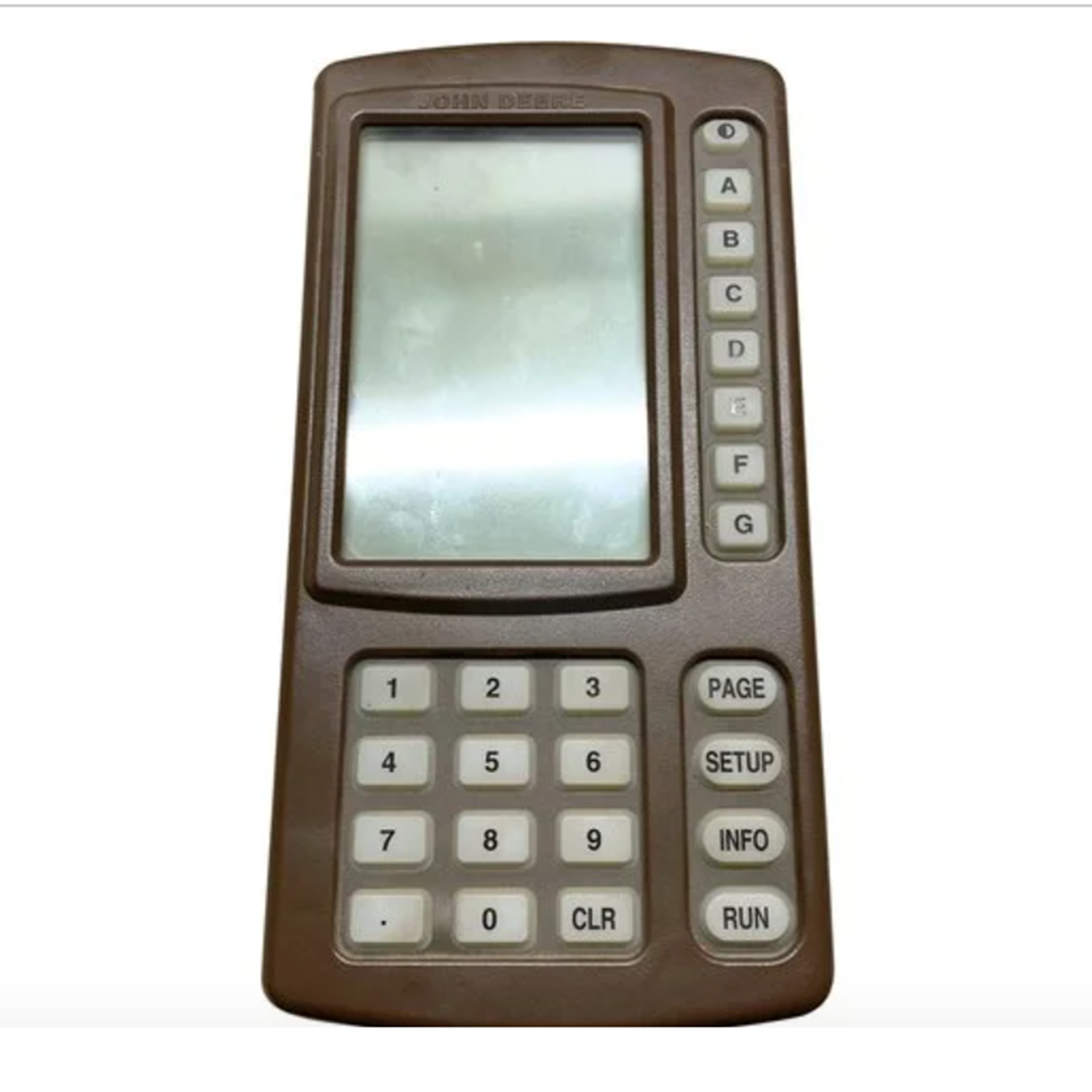
JDGSM  GreenStar™ Monitor

Used GreenStar Display Monitor fits John Deere 2200 2210 2400 2410 4700 4710 4720 4920 6700 6110 6120 6210 6220 6310 6320 6410 6420 9510 9750 PF80365  (Monitor only no Cables )

Install Sensor-1 on your iPhone or iPad

  1. Tap the Share button in Safari.
  2. Scroll down and tap “Add to Home Screen.”
  3. Tap “Add.”
  4. Open Sensor-1 from the new icon on your Home Screen.

Install Sensor-1 on Android

  1. Open Sensor-1.com in Google Chrome.
  2. Tap the three-dot menu.
  3. Tap “Install app” or “Add to Home screen.”
  4. Confirm the installation.

Install Sensor-1 on your Mac

  1. In Safari, choose File → Add to Dock.
  2. In Google Chrome, open the browser menu and select Save and Share → Install Page as App, if available.

Install Sensor-1 on Windows

  1. In Microsoft Edge: open the three-dot menu, select “Apps,” then “Install this site as an app.”
  2. In Google Chrome: open the three-dot menu, select “Cast, save, and share,” then “Install page as app” or “Create shortcut.” If available, select “Open as window.”